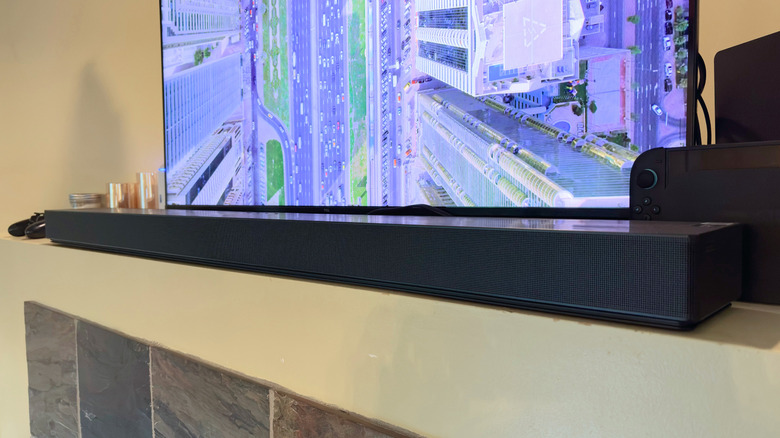
The rare occasion where you don’t need a separate subwoofer for adequate bass.
Billy Steele for Engadget
RATING : 8.8 / 10
- Adequate bass without a separate subwoofer
- Convertible Fit tech works well
- Lots of features
- Underpowered for larger rooms
- Some features require a Samsung TV
- Pricey
For years, soundbar companies have tried to convince the masses that they made an "all-in-one" speaker that didn't need a subwoofer. Until 2024, when Sonos introduced the Arc Ultra and its novel tech, those promises remained unfulfilled. Now Samsung claims to have done something similar. The company has nixed the wireless subwoofer from the QS90H soundbar ($1,000), and also took a different approach to the built-in woofers to coax more low-end tone from the system. After a few weeks of testing, and doing so right after using the Arc Ultra for months, I can tell you Samsung's QS90H is no slouch.
Design and features
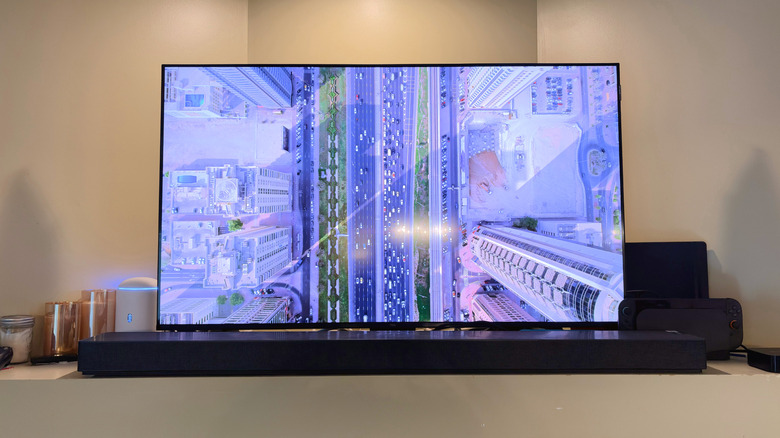
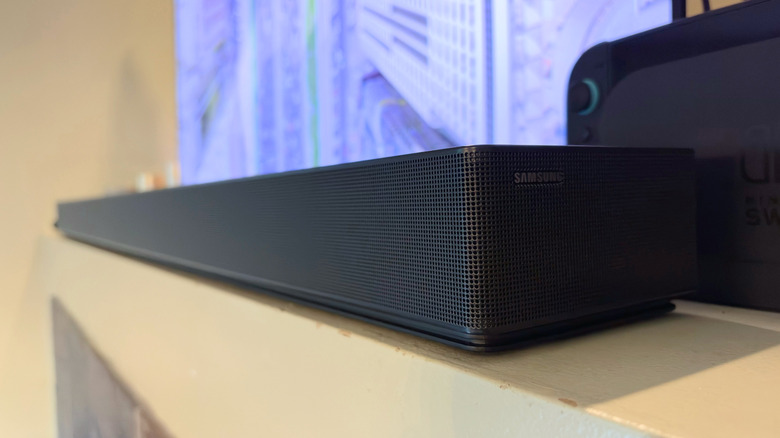
If you mistook the QS90H for last year's QS700F, I can't blame you. They're identical in terms of overall design, the biggest difference being the QS90H is about 3.5 inches wider than its older sibling. Samsung needed more room to fit the five additional drivers in this year's model (13 vs. eight). The QS700F also comes with a separate, compact wireless subwoofer as it doesn't contain enough oomph from its internal woofers to stand alone. But just like the QS700F, the QS90H has a horizontally-striped top grille with dotted panels around the sides and front of the soundbar.
Another similarity between the two: the center-mounted onboard controls. Not only are they in the same spot, but they're almost identical as well. On the QS90H, the microphone mute button (which also activates Bluetooth mode) is on the far left of the panel. There are two volume buttons in the middle and a something called a Multi button on the far right. The Multi button wakes the soundbar from Standby mode and cycles through the inputs (including Bluetooth) when the speaker is active.
When it comes to features, the QS90H offers much of what you'll find on other Samsung soundbars. This list includes wireless Dolby Atmos, Q-Symphony audio expansion, SpaceFit Sound Pro room calibration and AI Dynamic Bass Control. The soundbar also supports the company's content-based Adaptive Sound, Active Voice Amplifier Pro dialogue boost, Sound Elevation audio enhancement and Game Mode Pro for improved 3D sound while gaming. Q-Symphony expands your soundbar audio by using the TV speakers for better clarity, but it requires a compatible Samsung TV. Wireless Dolby Atmos also won't work without the requisite TV, and as I don't have one, I wasn't able to test these features.
Samsung does offer its built-in SpaceFit Sound Pro tool here, and it's nice to see. On the QS700H, the feature only worked if you used that soundbar with a compatible Samsung TV. On the QS90H, however, you can use the room calibration when connected to any TV (thanks to the QS90H's internal mics). The soundbar can adjust itself to the acoustics of your living room and, in theory, offer better performance than it would out of the box.
Perhaps the biggest feature on the QS90H is Convertible Fit. This is something that Samsung debuted on the QS700H that allows you to lay the soundbar flat on a table with the top facing up. It also works when you mount the speaker on a wall with the top facing out. A gyro sensor inside the soundbar detects its positioning and automatically adjusts the audio accordingly. Like it did on the QS700H, this feature works as advertised on the QS90H: I didn't notice any big changes in sound quality with one orientation versus the other. With Convertible Fit, the front-firing drivers switch duties with the up-firing drivers depending on the soundbar's position, so the lack of performance variation isn't surprising, but it's nice to see the feature lives up to its promise.
Sound quality
Billy Steele for Engadget
Before I get into the QS90H's performance, let's discuss what's inside that provides the soundbar's audio quality. This is a 7.1.2-channel speaker, meaning there are seven front- and side-firing channels with two up-firing channels. That "1" indicates a dedicated subwoofer channel, which in the case of the QS90H, is handled by the soundbar itself. There are 13 speakers or drivers in total, including up-firing, side-firing and "front wide-firing" positions.
The most important part of that baker's dozen is the Quad Bass subwoofer. It's actually a combination of four woofers, two on each side of the soundbar. Not only are there two more than a lot of the competition offers in their soundbars, but Samsung designed these components to push air in two directions instead of just one. The result is a true all-in-one soundbar that definitely does not need a subwoofer to shine.
It's shocking how much low-end tone the QS90H puts out. There was so much bass that it felt like the spaceship engines in For All Mankind were right in my living room. Whenever there's a driving beat in a TV show song, or when I crank up Alexisonfire's Crisis, there's plenty of thump in the kick drum. I've been testing the soundbar for weeks now, and I'm still surprised every time a movie, show or song calls for the QS90H to flex its muscle. I haven't once missed needing to have a large box on the floor to achieve this. Life without a separate subwoofer has been pretty good.
The QS90H handles directional audio quite well, too. The zoom of F1 cars during episodes of Drive To Survive ring through the soundbar's drivers as the cars lap around the various circuits. Of course, it's no replacement for a pair of rear surround speakers, but for small-to-medium-size rooms, the QS90H is decently immersive on its own.
The competition
Billy Steele for Engadget
As I've already mentioned, the best alternative in terms of a true all-in-one soundbar is the Sonos Arc Ultra. Sonos' Sound Motion technology provides more bass than the regular Arc soundbar, which eliminates the need for a standalone subwoofer for TV and music. Plus, you get a 9.1.4-channel configuration with two additional front and two additional height channels compared to the QS90H. Sonos' top-end option will cost you $99 more than the QS90H though, and you'll have to contend with the company's buggy app. Sonos provides regular updates on the software's status, but users continue to report ongoing issues on social media. I've been using the Arc Ultra off and on since its arrival and I rarely use the app. After the initial setup, the app isn't really a problem that gets in the way of using the soundbar. I get by just fine with my Apple TV remote for volume controls and AirPlay connectivity for music.
Another contender is Bose. The company doesn't specifically label its Lifestyle Ultra Soundbar ($1,099) as a standalone option, probably because it would prefer for you to buy a pair of Lifestyle Ultra Speakers and a Lifestyle Ultra Subwoofer for a full home theater setup. However, it does have a dedicated subwoofer channel on its own (5.1.2 configuration), and the company promises its CleanBass and QuietPort technologies offer "deeper, fuller bass" than its previous Smart Ultra Soundbar. I haven't verified that claim yet, but the Lifestyle Ultra Soundbar is on the reviews docket.
Wrap-up
I've been impressed by the QS90H since I first heard it in Samsung's showroom at CES this year. For months, I'd hoped the company's well-crafted demo was just a tantalizing preview of the satisfaction I would enjoy in my review reality, and I'm happy to report it was. This soundbar doesn't need a separate subwoofer to shine, as its internal woofers do an excellent job with low-end tone across multiple content types. It's pricey, but it also has Samsung's Convertible Fit tech that makes it more versatile. This would be a great choice for small-to-medium living rooms where space is at a premium and you want to keep your home theater setup minimal. Just keep in mind that you'll need to pair the QS90H with a Samsung TV for it to reach its full potential.