Siri AI is finally almost here and Liquid Glass will look a little less liquid soon.
By Kris Holt Updated: June 8, 2026 1:54 pm EST
Zhiyue/Unsplash
It's that time of year when developers who create apps and tools for Apple's ecosystem (and your friendly neighborhood tech journalists) gather around at Apple Park and remotely to learn what's coming to the company's operating systems later this year. Apple's Worldwide Developer Conference kicked off today with, as ever, the keynote that contained the bulk of the major announcements.
There's something a bit different about this year's WWDC. This is Tim Cook's last one as Apple CEO before he steps down and cedes the role to John Ternus, the company's senior vice president of hardware engineering, on September 1. Ternus' appointment might shed some light on where the company is going next, hopefully with a larger focus on hardware innovation. However, WWDC is all about the software side of things.
Here's our breakdown of everything Apple announced during its WWDC 2026 keynote.
This is a developing story; refresh for updates.
Siri AI
Apple
Ahead of WWDC, it was widely expected that Apple would place a heavy emphasis on its (delayed) overhaul of Siri, which it first demoed at the 2024 edition of the event. The company confirmed back in January that a "more personalized Siri" was coming this year, and that it would be powered by Google's Gemini models. This updated version of the assistant is called Siri AI.
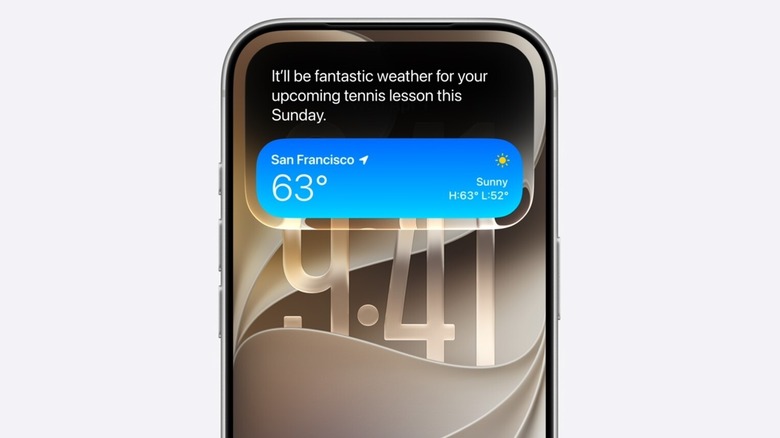
Among other things, Siri AI will have some visual updates. On iPhones with a Dynamic Island, a Siri animation will appear there when it's dealing with a request (rather than the bottom of the screen, as things are currently).
You can still use the "Hey Siri" wake word or the power button to activate the assistant. However, in iOS 27, swiping down from the middle of the screen will bring up a Siri AI interface. You can then ask the assistant a question or get it to search for something. Responses will pop up in a card, and you can continue a conversation with the chatbot.
You might ask Siri AI to add a specific photo to a shared family album, remind you when a lottery for concert tickets takes place or to suggest recipes for countries who are being represented at the World Cup for your watch party. It can offer feedback on documents and you can ask it to whip up an "in-depth plan."
Siri AI will also be able to take action based on what's on your screen. By way of example, Apple suggested that, while you're looking at a photo of your shed, you might ask Siri AI how to best put together a maker space inside it.
Using the screenshot tool on Mac, you'll be able to — for instance — look at a festival schedule, pick the performances you're interested in and add them to your calendar with Siri AI. Features like that will be available via Visual Intelligence in Siri, which is coming to visionOS too. Expect to be able to ask Siri AI questions about what your device's camera is seeing too (this all sounds very much like the visual search features Google has offered for quite some time).
Apple is promising major improvements to voice dictation with Siri AI as well. Along with iOS, iPadOS and macOS, Siri AI will be available on watchOS, visionOS, CarPlay and AirPods. Spotlight search will be powered by Siri AI too.
Design and performance updates
Apple
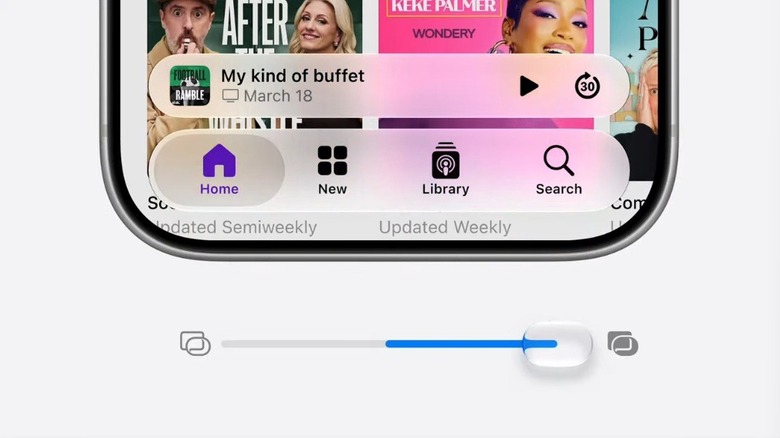
Apple is making some some welcome changes to the Liquid Design language that it foisted upon users with last year's OS updates. This year, across its devices, the company is changing the default look of Liquid Glass. It's adding an opacity slider so you can decide how transparent you want it to look (not at all, thank you very much).
The company is making some design changes to macOS as well. Expect a more uniform toolbar across apps. Sidebars will stretch to the edges of the screen to help minimize distractions. All macOS windows will have a tighter corner radius, while Apple is refreshing app icons. By the by, this year's version of macOS — aka macOS 27 — is dubbed macOS Golden Gate.
On the performance side, Apple is promising a lot of improvements, with speed boosts of up to 80 percent for AirDrop transfers, messages loading in Mail and playback starting in Apple Music, among other things. Apps will launch up to 30 percent faster, Apple claims, while photos will appear in your camera roll up to 70 percent faster as well. As for switching to a cellular connection when you move out of range of Wi-Fi? Yup, that should be faster too.
There's some very positive news for all those for folks still rocking older iPhones. The company says it modified the CPU scheduler to help many of those devices feel faster. Since iOS 27 will work on all models that support iOS26, those with an iPhone 11 or later should feel the benefit.
Apple has revamped search across iOS, iPadOS and macOS. The company says it rebuilt the foundation of search that powers Spotlight, Mail and Photos so that it's more stable and efficient. This infrastructure will seemingly start indexing new files and data "almost immediately."
Speaking of Photos, iCloud shared albums will now work with full-resolution photos. This will be supported in Android and Windows as well.