 1 month ago
50
1 month ago
50
Samsung’s new rugged smartwatch hasn’t changed much on the outside, but the biggest upgrades on the Galaxy Watch Ultra 2 are all hiding inside.
It has a larger battery, more powerful processor and new adventure features to take you from the office to the trails without extra gear. At $700 ($50 more than the original Galaxy Watch Ultra), it’s the most expensive watch in Samsung’s lineup, but it’s also the most durable — and arguably the most interesting.
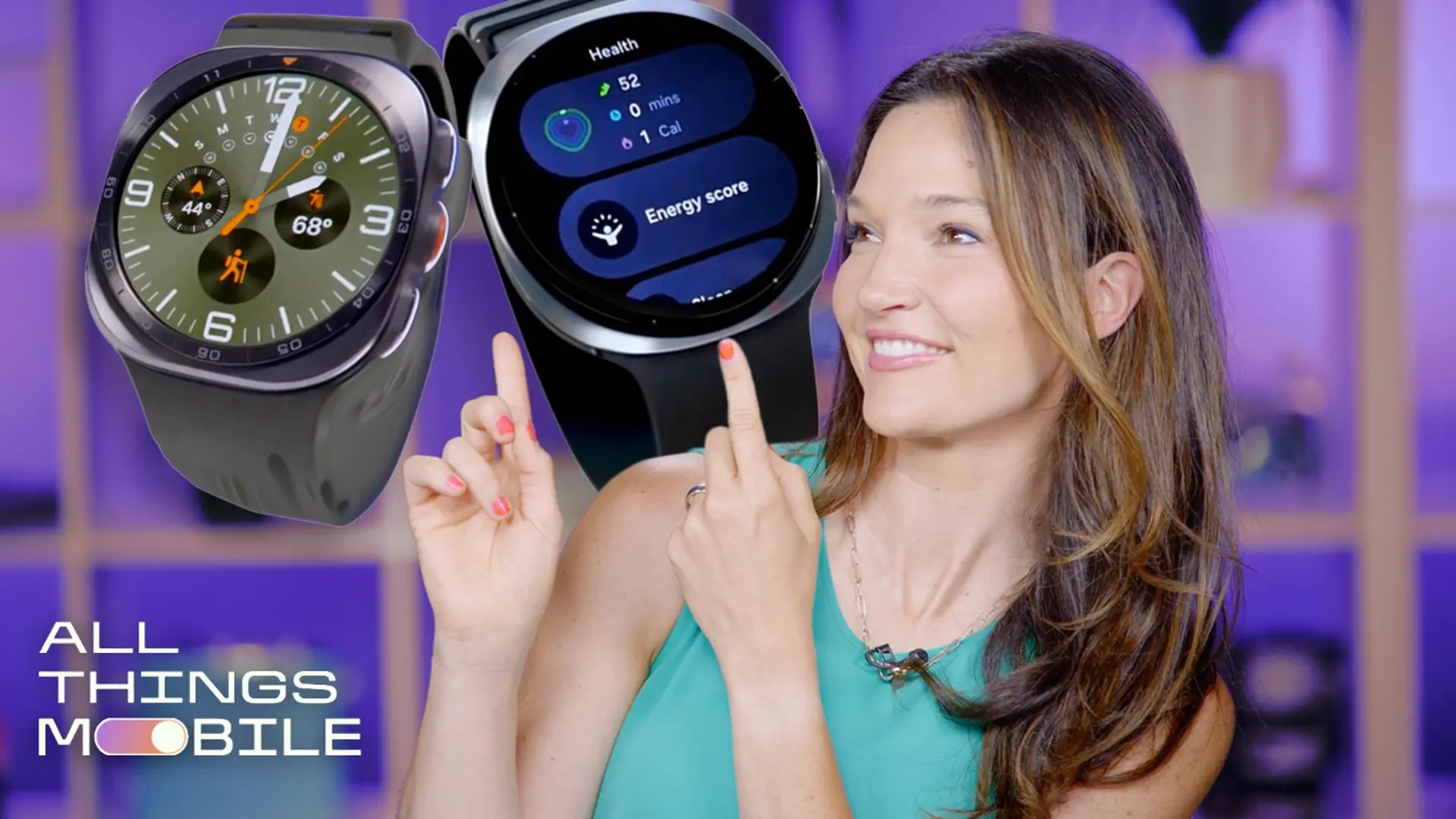
I’ve spent the past week testing the Galaxy Watch Ultra 2, and while the verdict is still out on its long-term features, like health tracking and battery life, it’s clear that it can pull double-duty as both an adventure-ready companion and a luxury smartwatch.
Whether its $700 price tag is justified depends on what you’re looking for. If you want Samsung’s most rugged watch with the biggest battery, brightest display and the most outdoor features, it could be worth the premium. But if the package matters less than the core smartwatch features, you may be better off getting the standard Galaxy Watch 9 (or even older models) for nearly half the price.
 The Galaxy Watch Ultra 2 keeps the squircle frame, but increases the size and brightness of the screen.
Galaxy Watch Ultra 2: First impressions
The Galaxy Watch Ultra 2 looks identical to the original. It has the same premium titanium case, sapphire crystal display, signature squircle design and three programmable physical buttons. But look closer and you’ll notice a few subtle upgrades.
The display is slightly larger (1.52” compared to 1.5” on the original), even though the overall watch is smaller and lighter. Samsung also redesigned the bands, making them thinner and more breathable so the watch sits flatter against your wrist, which the company says improves sensor contact. The new clasp mechanism makes them easier to swap than traditional watch bands, though it also locks you into Samsung’s proprietary system.
 A side-by-side look at the two new Galaxy Watches: Galaxy Watch 9 and Ultra 2.Andrew Lanxon/CNET
The fact that I slept a few nights without ripping it off halfway through the night says a lot about a watch this size. I still wouldn’t choose to sleep with it long term, but it’s noticeably more comfortable than I expected.
Samsung watches already have the best displays in the business, and the Ultra 2 kicks it up a notch with an even brighter, 5,000-nit display (versus 3,000 nits on the original) that looks flawless even in harsh mid-morning summer sun.
Galaxy Watch Ultra 2’s new trail running and diving features
The Ultra 2 edges closer to sports watch territory with a dedicated trail-running mode that surfaces real-time climb and elevation data, has offline trail map access and hydration reminders. I live near a regional park with hundreds of trail options, and I’ve been frustrated by traditional smartwatches that don’t account for uneven terrain or give me enough credit for tackling extreme elevation changes.
 I took the Galaxy Watch Ultra 2 on a trail run to test the new feature.
After a 5-mile trail run through the Northern California hills, I was impressed by two things: turn-by-turn audio navigation and real-time elevation tracking. I don’t like wearing headphones when I trail run because I prefer to stay aware of my surroundings, so hearing directions through the watch speaker is the perfect solution. It’s worth noting that getting a route onto the watch for those directions was tedious. Samsung says you’ll eventually be able to search for nearby trails directly from Google Maps, but that feature wasn’t ready during my testing, so I had to load a trail route from a .gpx file on my phone.
With real-time elevation tracking, the watch automatically broke my route into individual climbs and showed my progress. Having a live progress bar as I approach a hill gives me a tangible goal, making it easier to push through steeper sections.
 The trail-running feature on the Galaxy Watch Ultra 2 shows real-time elevation.
I was less enthused about the hydration reminders. I’d traded my water bottle for my tripod that day, so the three reminders I received during my hour-long trail run mostly fell on deaf ears. Considering the heat, I probably should have listened. But because the reminders are based on AI estimates of hydration loss rather than a dedicated sensor that measures sweat loss directly, I found myself trusting them less.
The Ultra 2 also debuts a recreational diving feature developed in partnership with Italian diving company Mares. Because it doesn’t track gas or oxygen consumption, it’s not meant to replace a dedicated dive computer. Instead, it seems aimed at casual recreational divers who want basic dive information on a device they’re already wearing. The app won’t be available at launch, so I’ll reserve judgment until I can test it myself later this year.
 The Galaxy Watch Ultra 2 has big changes under the hood, including a new processor and bigger battery.
Galaxy Watch Ultra 2’s raise-to-talk Gemini
My favorite feature, however, has nothing to do with rugged adventure sports. It’s Gemini. I’ve already raved about how useful Google’s AI assistant is on your wrist in smartwatches such as the Google Pixel 4, and the new raise-to-talk feature makes it even better.
No button presses or wake words required, just raise your wrist and start talking. This added layer of convenience made me much more likely to use it and helped me get things done completely hands-free. At the risk of sounding like a trad wife, I use it a lot in the kitchen. I had meat sitting in the fridge that was about to go bad, so I asked for a simple slow-cooker carnitas recipe, and it delivered. I didn’t even have to smudge the screen with meat juice to get the step-by-step instructions read aloud. It’s also been handy for settling debates with my endlessly curious 9-year-old before he loses patience and I have to dig my phone out of my pocket.
Better battery life in theory, in practice its still TBD
The Ultra 2 packs an 800-mAh battery, up from the 590-mAh on the original, paired with Qualcomm’s new Snapdragon Wear Elite processor, which should be more power efficient. On-device AI optimizes battery life as it learns your habits, too. Samsung rates it for up to 60 hours with the watch’s always-on display enabled.
 The Galaxy Watch Ultra 2 is rated for 10ATM and can be used for recreational diving.
It’s still too soon to know if that 60-hour claim is realistic because my initial results haven’t been great. That 5-mile trail run chewed through nearly 30% of the battery, and I have yet to reach the watch’s promised 60-hour mark. I have gotten closer to 48 hours before needing to recharge, though.
Either way, don’t expect sports watch-level endurance. A Garmin Fenix 8 Pro, for example, can last more than a week on a charge. The Ultra 2 powers a brighter display, Wear OS and always-ready Gemini, all of which demand far more energy than what a dedicated sports watch usually takes on.
Extra health and recovery tools
Both watches also get a new suite of health features, which feed into the redesigned Samsung Health app on your phone.
Vitals tracking can flag possible signs of illness by monitoring metrics such as heart rate variability, resting heart rate, respiratory rate, blood oxygen and skin temperature. There’s also a new Heart Health Score, Daily Cardio Load to help guide recovery, and a Fitness Index assessment that uses AI to build you a personalized training plan.
Many of these features require at least seven nights of sleep before they unlock (which I haven’t yet logged), so I’m holding off on judging for now.
I appreciate that Samsung isn’t putting these health insights behind a subscription the way companies including Whoop and Oura do. Some guided workouts and iFit content still require separate subscriptions, but the core health features are included with the watch.
Samsung also hasn’t confirmed whether these software features will come to older Galaxy Watches. So, for now, they’re another point in favor of upgrading.
 The three new Galaxy Watches: Galaxy Watch Ultra 2, Galaxy Watch 9 (44mm) and Galaxy Watch 9 (40mm). Joe Maldonado/CNET
Should you upgrade to the Galaxy Watch Ultra 2?
After a week of testing, the Ultra 2 feels like more of an upgrade than its familiar design would suggest. If you’re coming from an older Galaxy Watch and want the latest hardware with the peace of mind that it’ll hold up to the elements, this is the one I’d be looking at.
But I still have plenty left to test. Many of the health features haven’t unlocked yet, and I need to spend more time with the battery before delivering a final verdict. Battery life, in particular, will make or break my recommendation — both over the Galaxy Watch 9 and for anyone considering upgrading from the original Ultra.

Vanessa Hand Orellana
Principal Writer
Vanessa is a lead writer at CNET, reviewing and writing about the latest smartwatches and fitness trackers. She joined the brand first as an on-camera reporter for CNET's Spanish-language site, then moved on to the English side to host and produce some of CNET's videos and YouTube series. When she's not testing out the latest health tech, you can catch her on a hike or trail run with her family. See full bio